Instances
Domains and HTTPS, configuration, updates, Enterprise, Login as, and the instance overview.
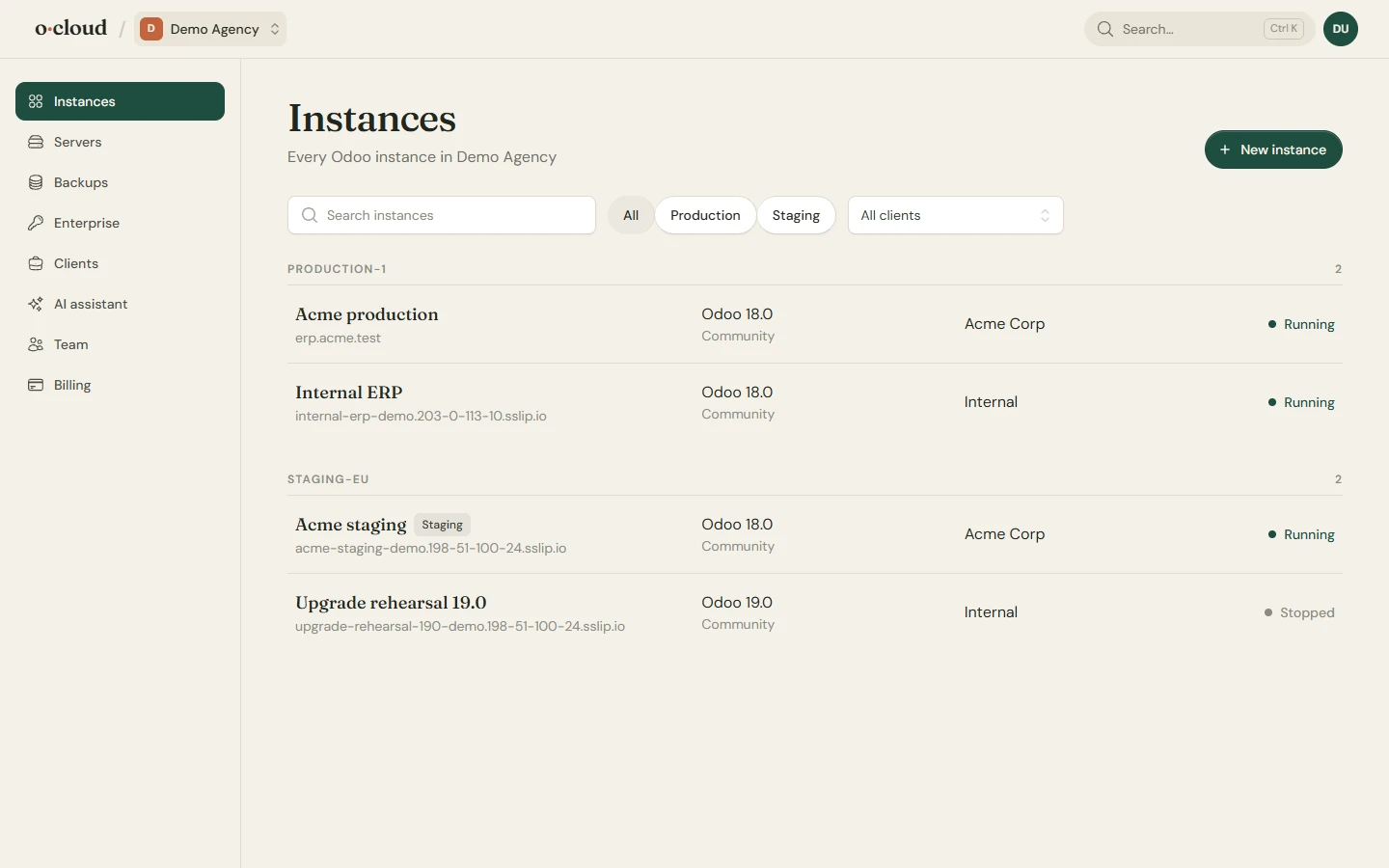
An instance is one Odoo: a version, an edition, one or more databases, a domain, the code it runs. It is installed from source on its server with its own system user, PostgreSQL role, systemd service and nginx site (Odoo 17.0, 18.0, 19.0, 20.0).
The instances page
Overview
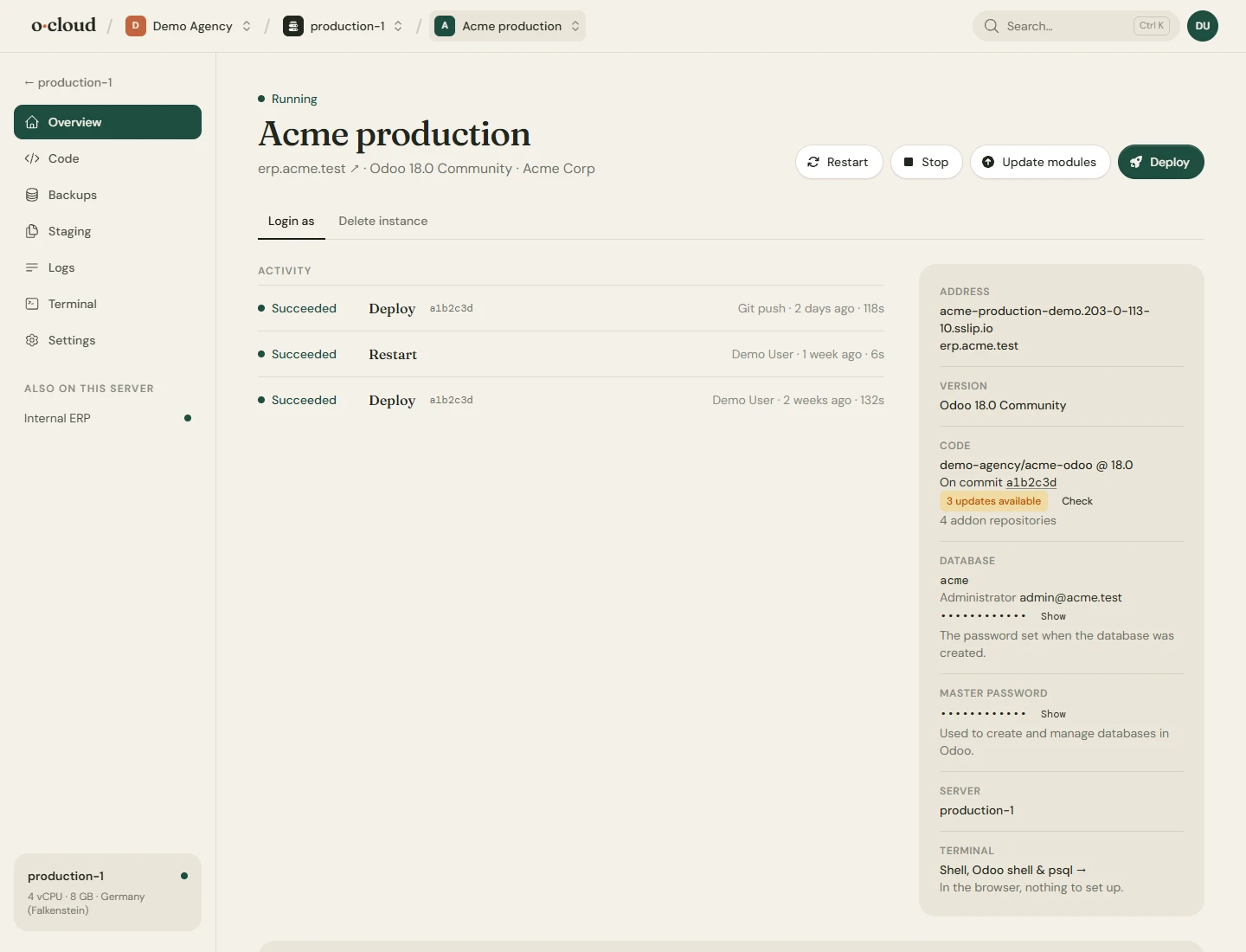
- Stop, restart, deploy, and the output of every deploy and task under Activity, with who started it.
- Updates: how many commits the instance's repository is behind, checked regularly. A deploy takes the newest build of its Odoo version; repositories move only when you update them or they deploy on push.
- Credentials: the administrator login and the database master password.
- Login as: open Odoo as any of its users without the password, on Odoo 16 to 19.
- Paths and commands: where the source, the configuration and the logs are on the server, and the commands you would type to restart, tail the log or open a shell, for the day you want to do it by hand.
Domains and HTTPS
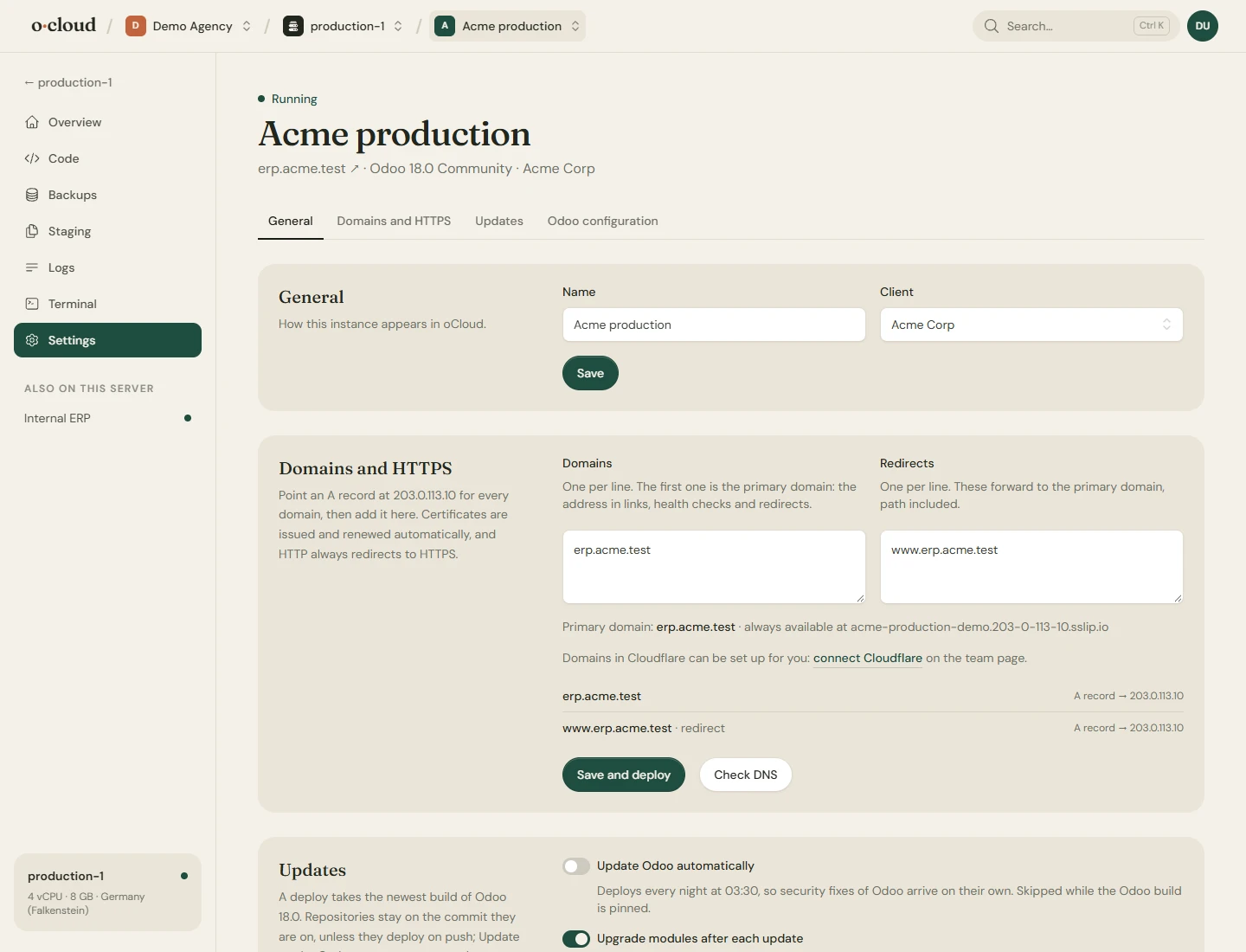
Every instance gets a temporary domain that works at once. Add your own under Settings → Domains and HTTPS: the first is the primary, the others redirect to it. HTTPS and the redirect from HTTP are always on; the certificate is issued and renewed for you, and the team owner is mailed if one is two weeks from running out and has not renewed.
The page shows the DNS record to create. If the domain's Cloudflare account is connected on the Team page, the record is created, repointed and removed for you.
Configuration
Workers, memory and time limits, the database filter, the database manager switch, and a free-form box for any other odoo.conf option. Saving writes the file and restarts Odoo. On an adopted instance that was not taken over, only the options shown are changed, in place, with a backup of the file and a rollback if Odoo does not start.
Updates
- Automatic updates deploy every night, so Odoo stays on the newest build of its version and repositories that deploy on push stay current.
- Upgrade modules after an update, per repository, runs the upgrade of its installed modules in Odoo after each update, as Upgrade on the Apps page would.
- Odoo itself can be pinned to a dated build on a server of your own.
- An Enterprise instance on a server of your own can be moved to a newer Odoo version through Odoo's upgrade service, with a copy of the database kept on the server.
Odoo Enterprise
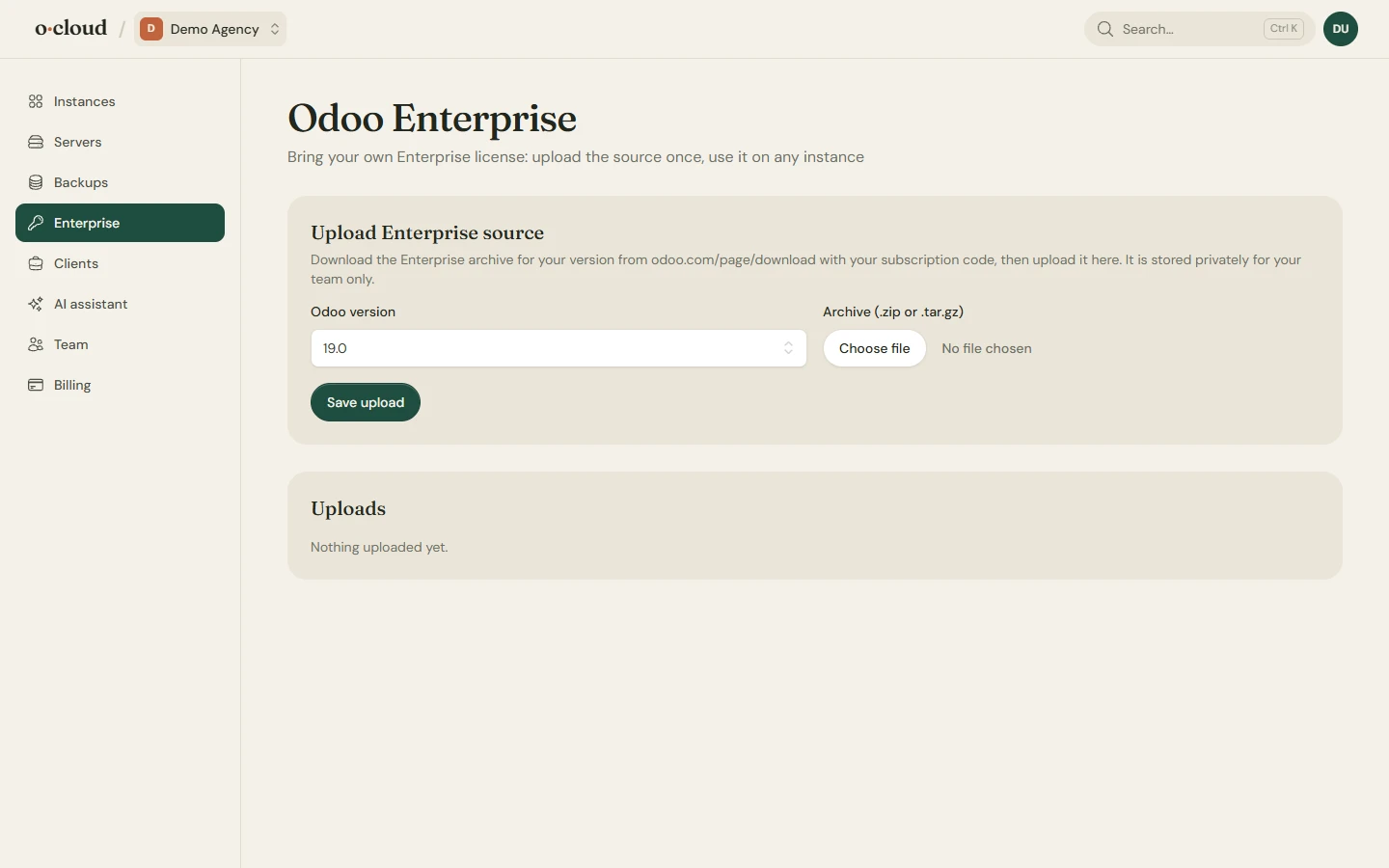
Upload the Enterprise archive from your own Odoo subscription on the Enterprise page, once per version. It is copied to the server on deploy and used by every instance that picks the Enterprise edition. Your subscription stays between you and Odoo S.A.
Deleting
Settings → Delete stops the instance and removes its database, filestore, service and certificate from the server. Backups in storage stay until their retention runs out, or forever for manual ones, and can be restored into another instance.