Features
Everything between you and a running Odoo
Each page below is a thing you would otherwise do over SSH at eleven at night. Here it is a button, with a record of who pressed it.
Servers
Servers you do not have to think about
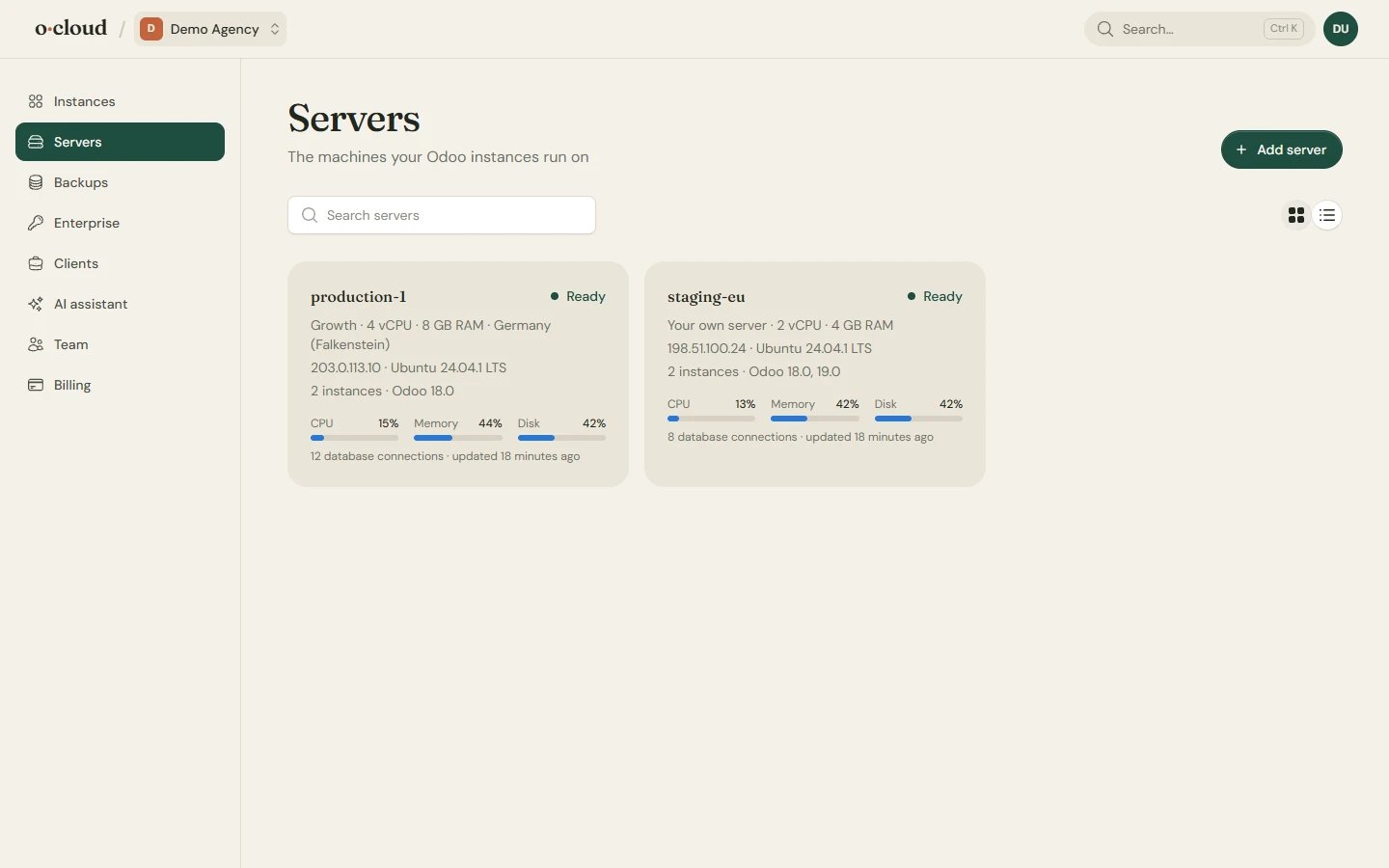
Create a cloud server in a minute, or connect a server you already have. Either way it is secured the same: keys-only SSH, a firewall, fail2ban for SSH and Odoo logins, and automatic operating system updates.
Usage, instances, workers and the operating system on one page per server. A security check tells you what is on and what is not.
PostgreSQL
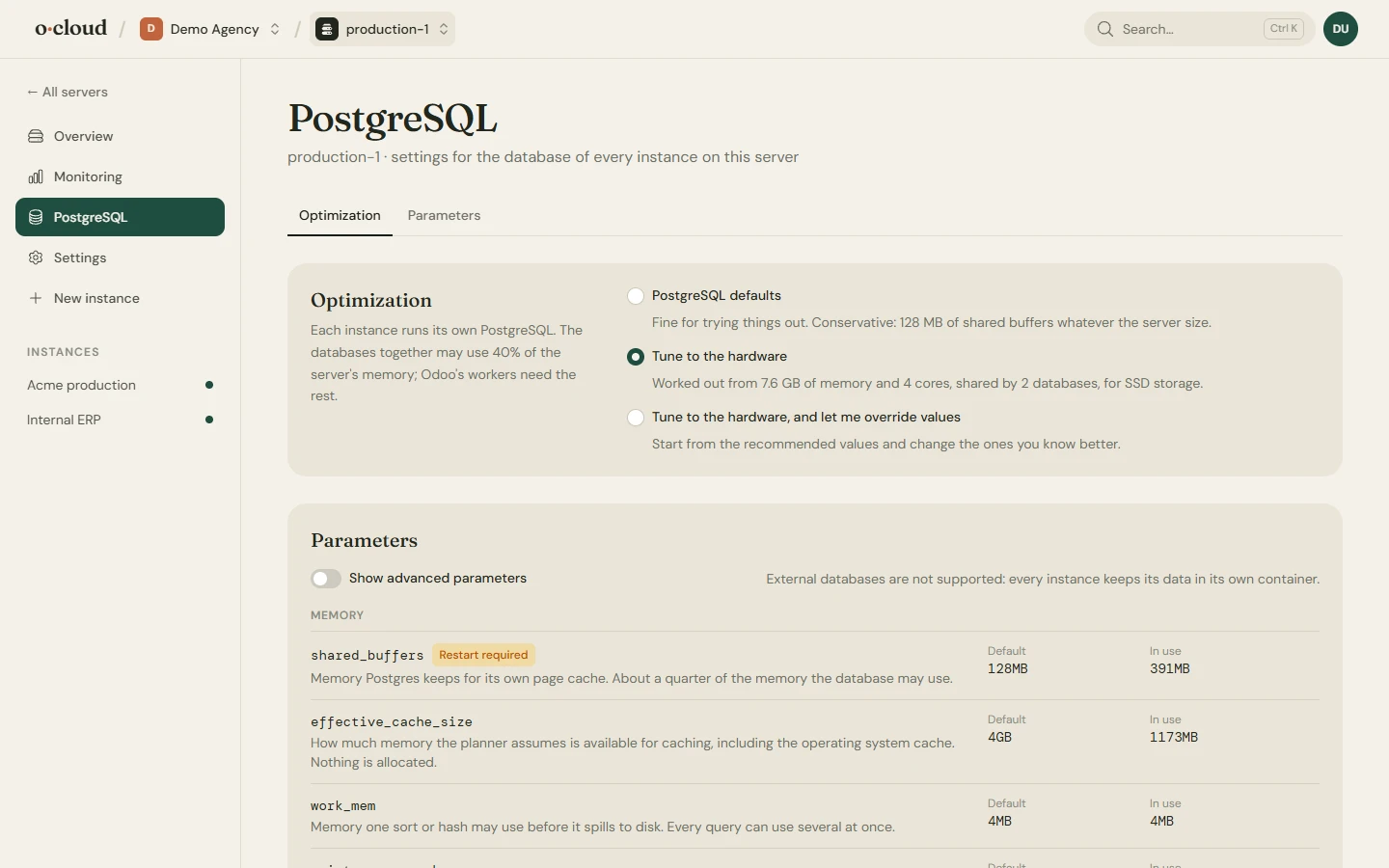
A database tuned to the hardware
Shared buffers, work memory, connections and the rest follow the cores and memory of the server. Override any parameter by hand, review what changes and what restart it needs, then apply. Move to a newer major version with the old cluster kept.
SSH keys
Add the keys of your team to a server and take them off again.
Your own Hetzner project
Add a token of your own project and create servers there, with reboots, snapshots and backups from the server page.
GeoIP
Install the GeoIP databases Odoo uses for visitor countries with one click.
Disconnect
Leaving is a disconnect that leaves the server running as it is, with an option to take our key off it.
Instances
One page per Odoo
Odoo 17.0, 18.0, 19.0, 20.0 installed from source on a server of your own, Community or Enterprise. Each instance gets its own database, its own service and its own certificate.
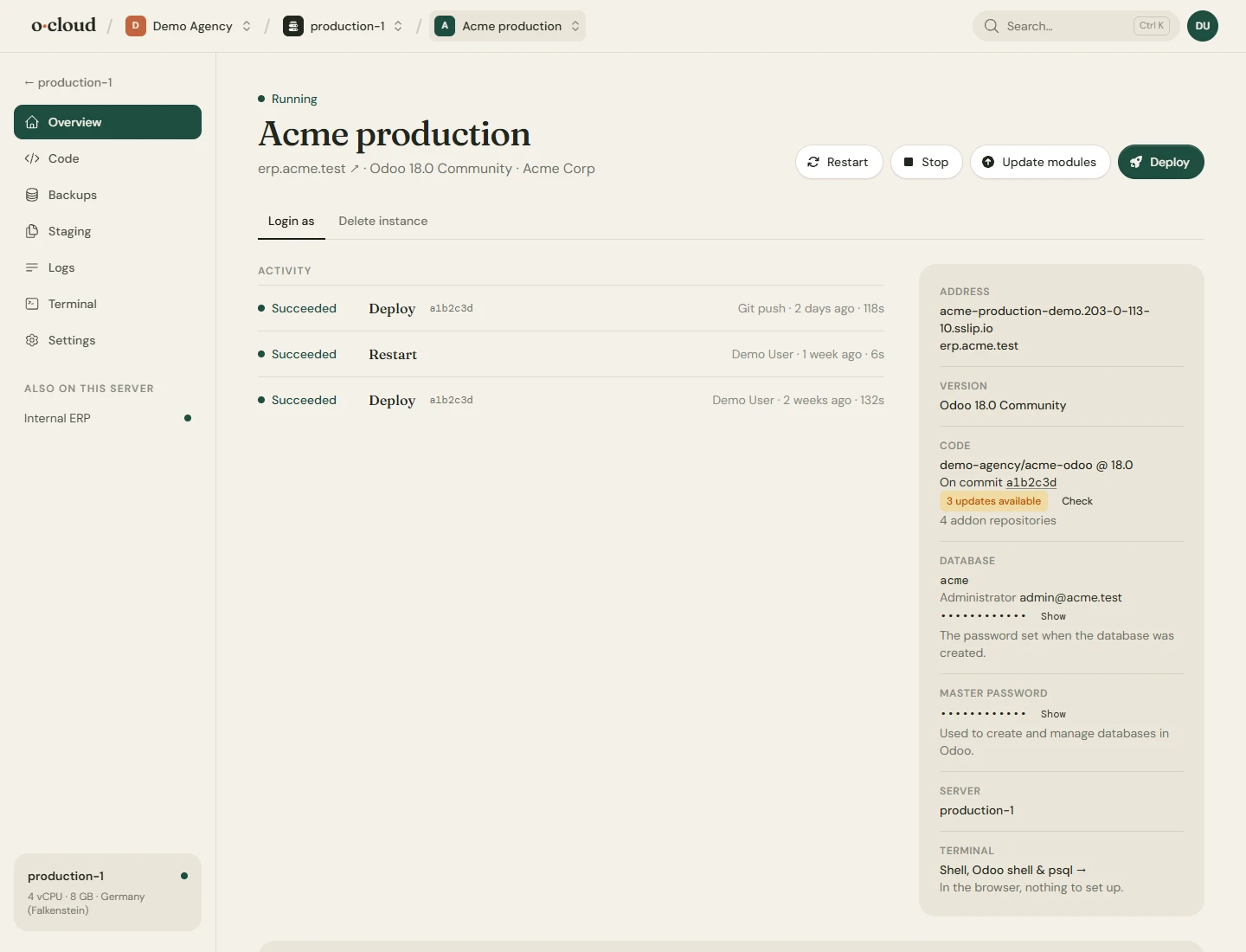
The overview shows the version and the commit that runs, how many commits behind it is, the admin credentials, the paths on the server and the commands you would type. Stop, restart, update, log in as any user.
Settings
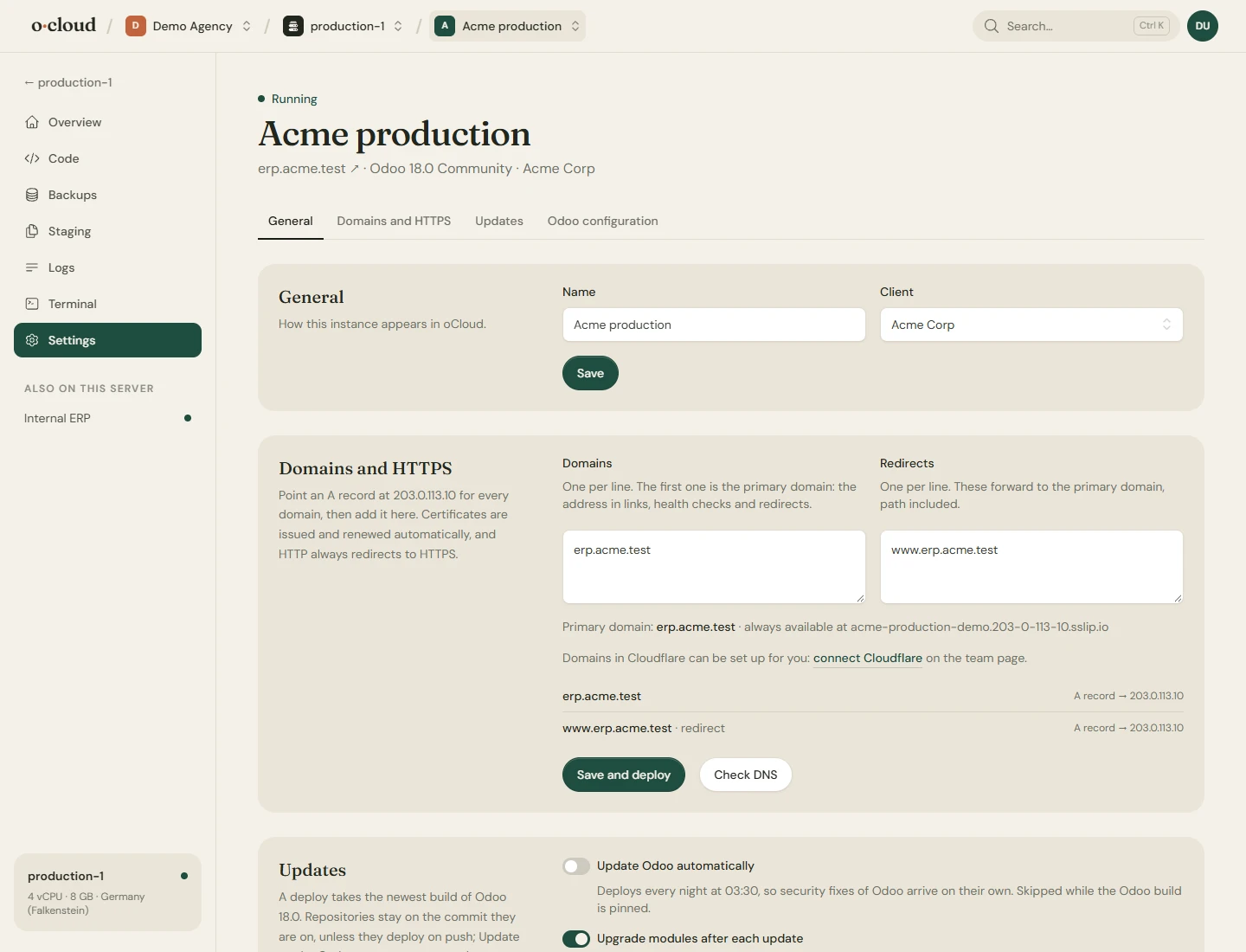
Domains, HTTPS and every option
A temporary domain at once, your own domains after, with certificates that renew themselves. Redirect old names to the new one. A connected Cloudflare account gets its records written for it.
Workers, memory and time limits, the database filter, the database manager switch and any other option of odoo.conf, in a form that validates before it restarts.
Code
Deploy from GitHub, on push or on purpose
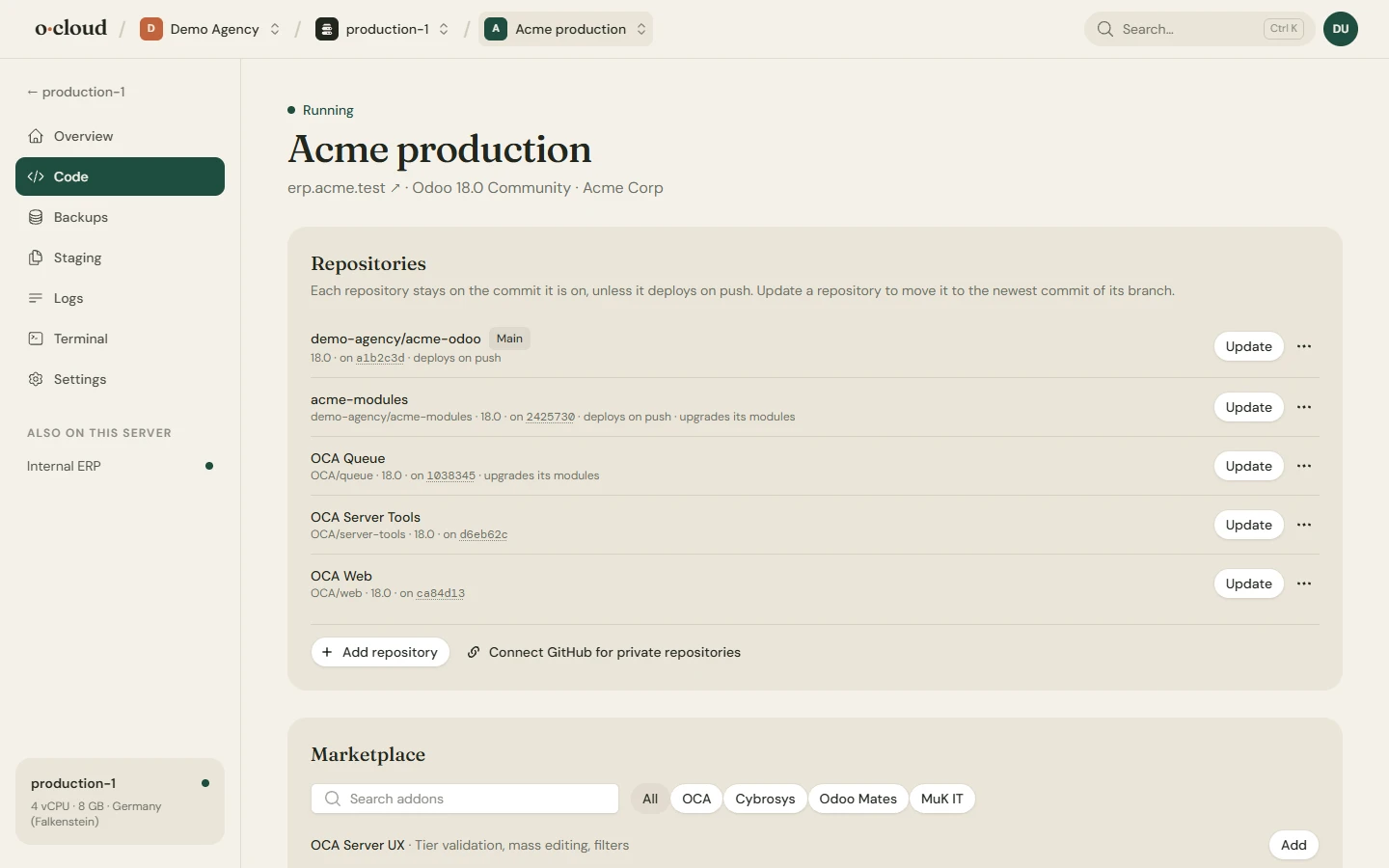
Connect GitHub through OAuth or with a token. Give an instance a repository and a branch, and every push builds and deploys, with requirements.txt installed. Or deploy by hand and keep your Fridays quiet.
Add more repositories: 54 OCA and community repositories from the catalog, any public git URL, or private repositories of the connected account. Each has its own branch, deploys on push if you like, and can upgrade its installed modules after an update. Repositories stay on the commit they run until you update them.
A zip of modules can be uploaded into a new GitHub repository, so code that never had a home gets one.
Backups
Hourly to monthly, a day to forever
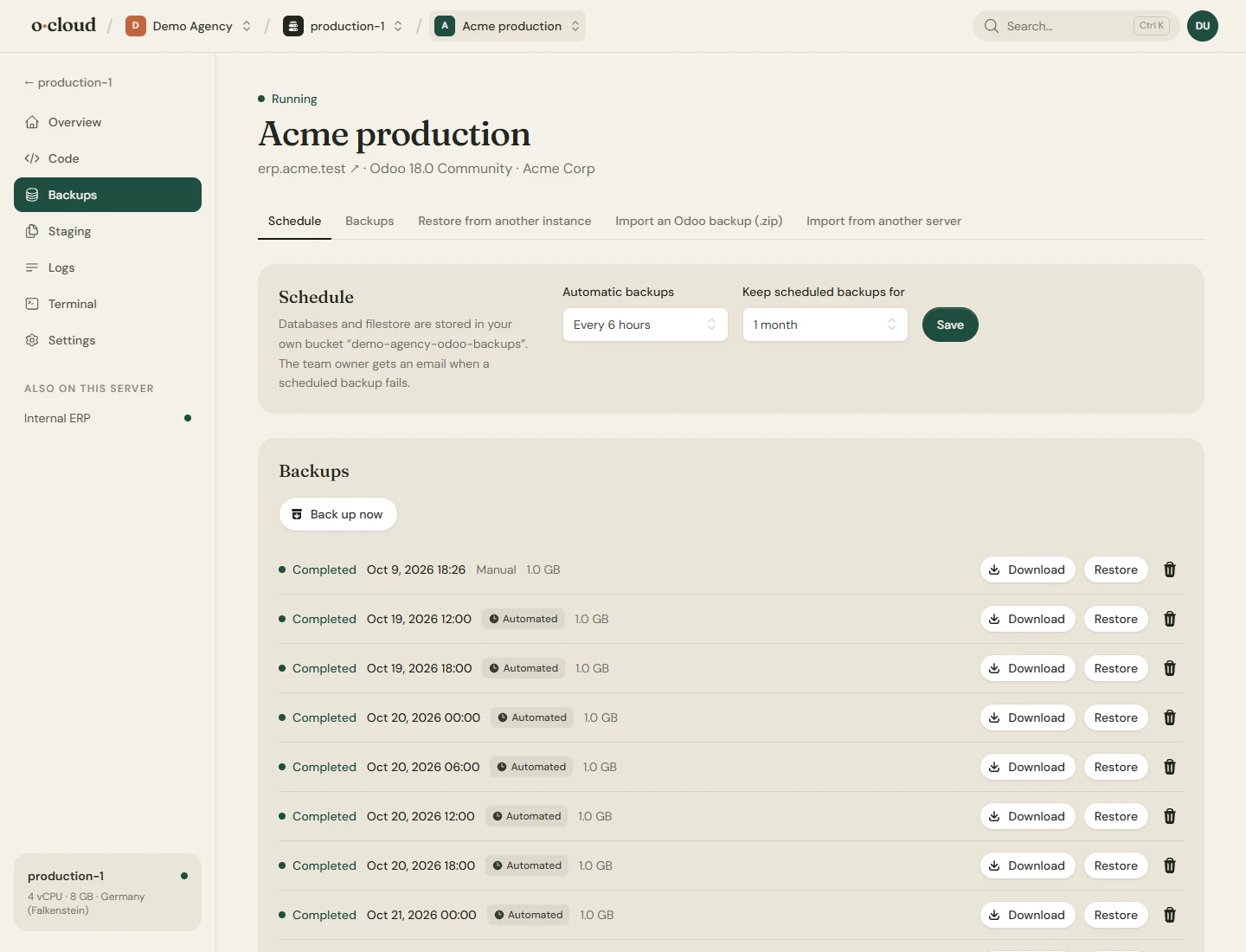
Every database and the filestore, on a schedule from hourly to monthly, kept for as long as you choose. Download, restore, restore into another instance, or import a zip from Odoo's database manager.
Stored with us, or for free in your own S3 compatible bucket (S3, R2, B2, Wasabi, MinIO) or on your own SFTP server. Backups go straight from the server to the storage; nothing passes through us. A failed scheduled backup is mailed to the team owner.
Monitoring
A month of charts, a mail when it matters
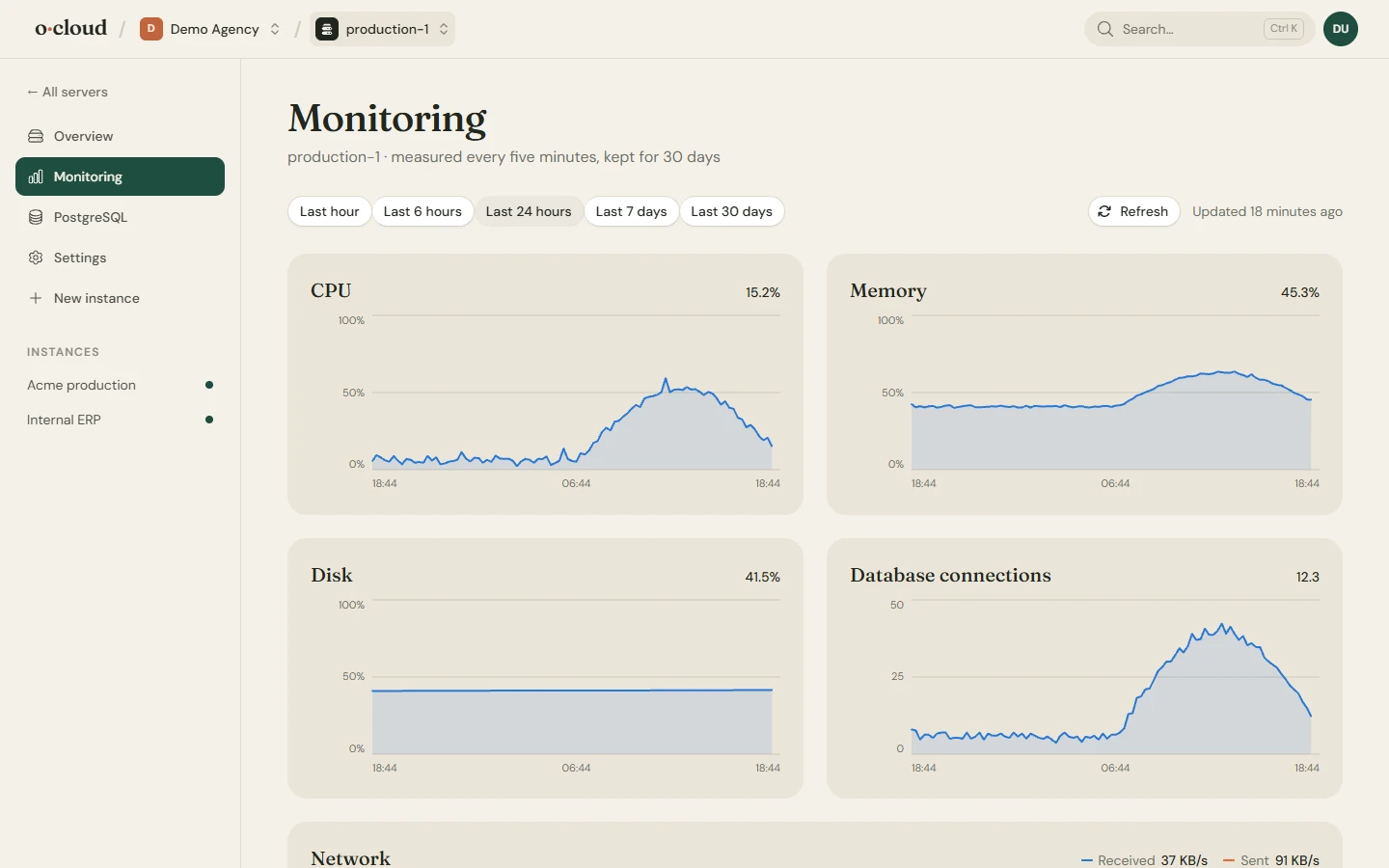
CPU, memory, disk, load, network and database connections of every server, sampled every five minutes and kept for 30 days, with a range selector. Every instance is checked every five minutes.
The team owner is mailed when an instance stops answering and when it is back, when a scheduled backup fails, when a disk passes 90%, when memory or CPU stay above 95% for half an hour, and when a certificate is two weeks from running out and has not renewed. Once a day while it lasts, not every five minutes.
Logs
Find the line, not the file
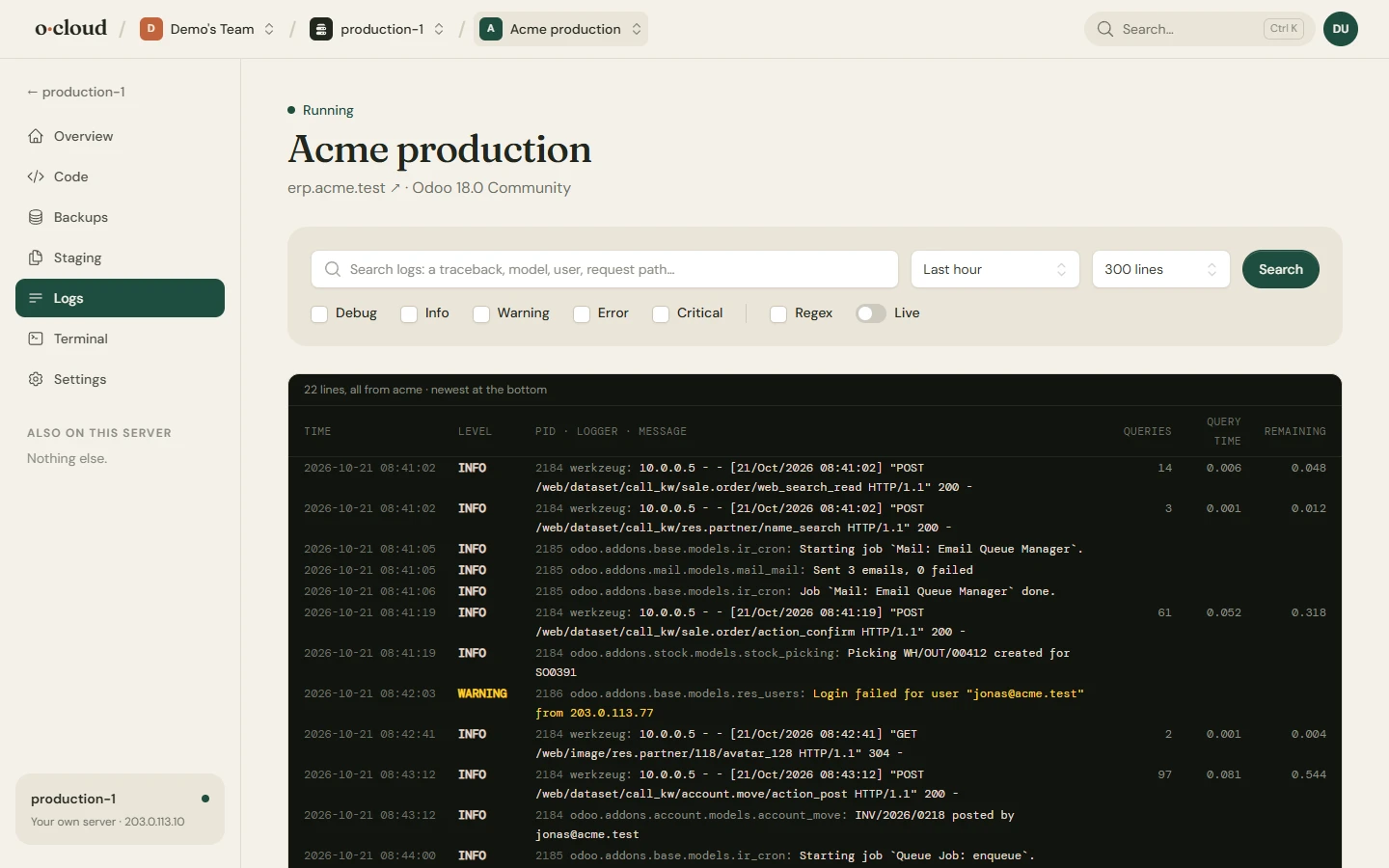
The Odoo log in columns, with search by text or regex, filters by level and time window, and a live tail. Installs on a server of your own also show the web server's request and error logs.
Terminal
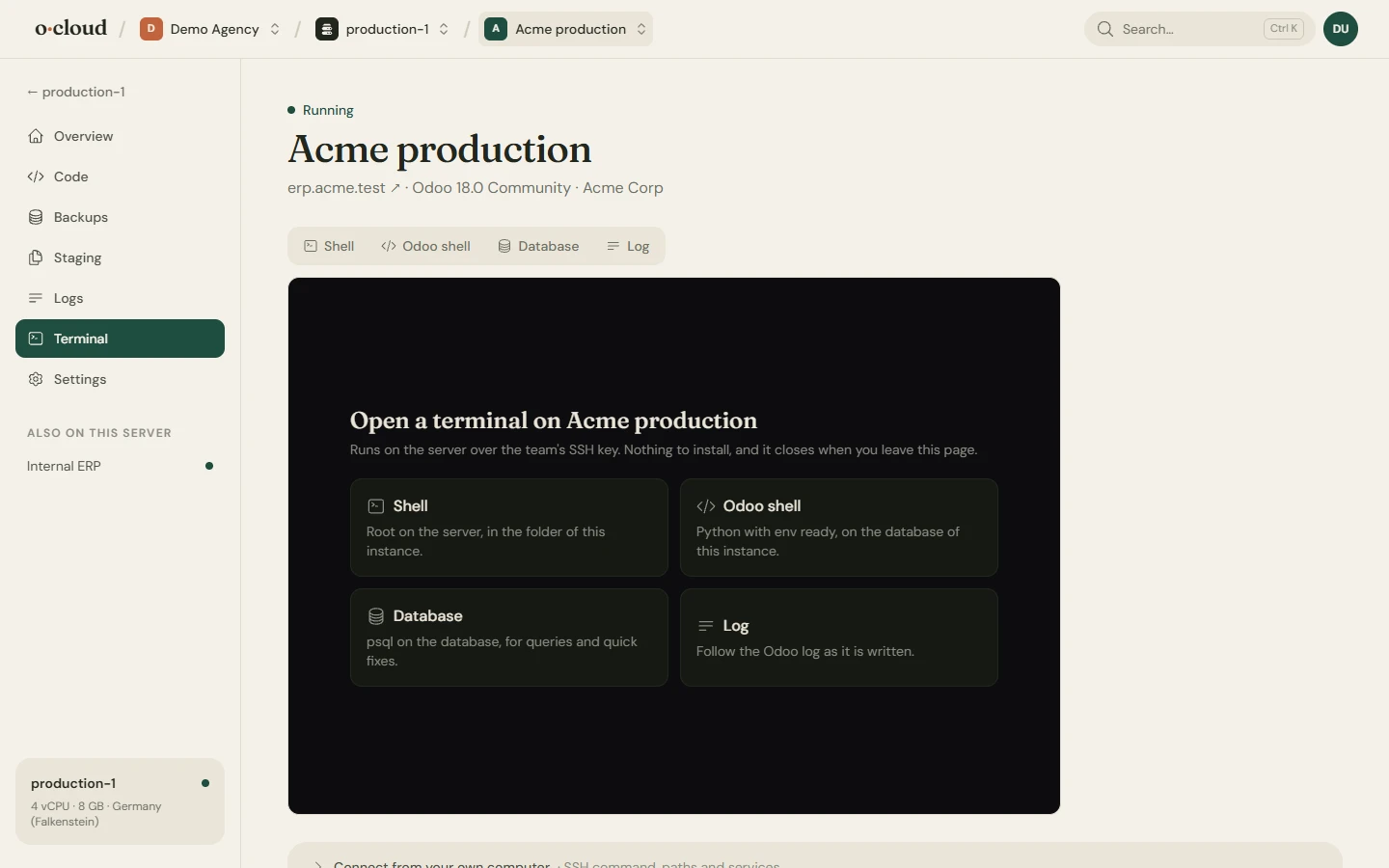
A shell in the browser, when a button is not enough
Open a shell, the Odoo shell, psql or the live log of an instance in the browser, over the team's SSH key, with ready-made commands for the things you do most. For owners and admins; every session is listed in the instance's activity.
Staging
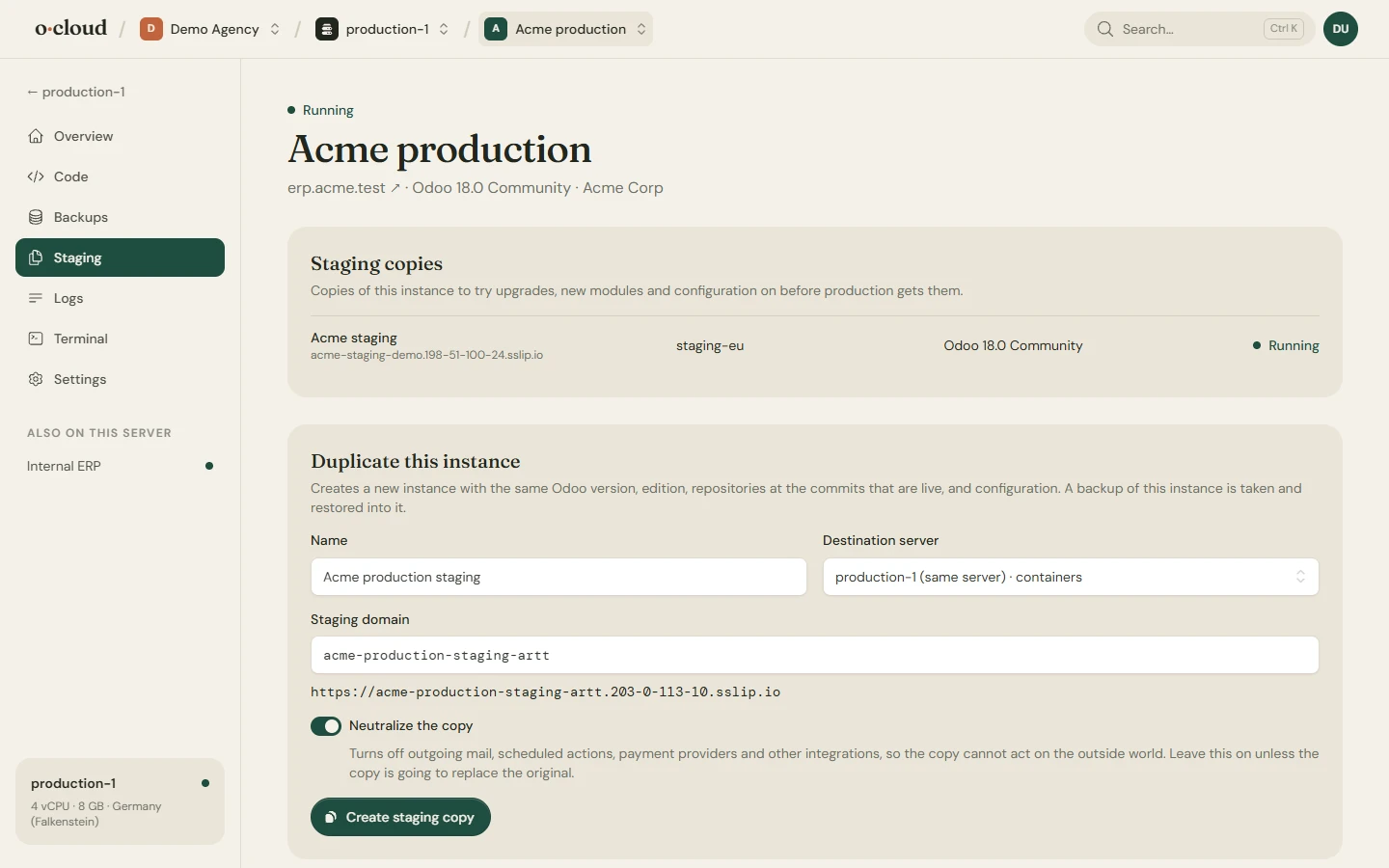
Try it on a copy first
Duplicate an instance to any ready server, also the one it runs on, as a neutralized copy: outgoing mail, scheduled actions and payment providers switched off, on exactly the commits that are live. Rehearse an upgrade, try a module, show a customer. Delete it when you are done.
Team
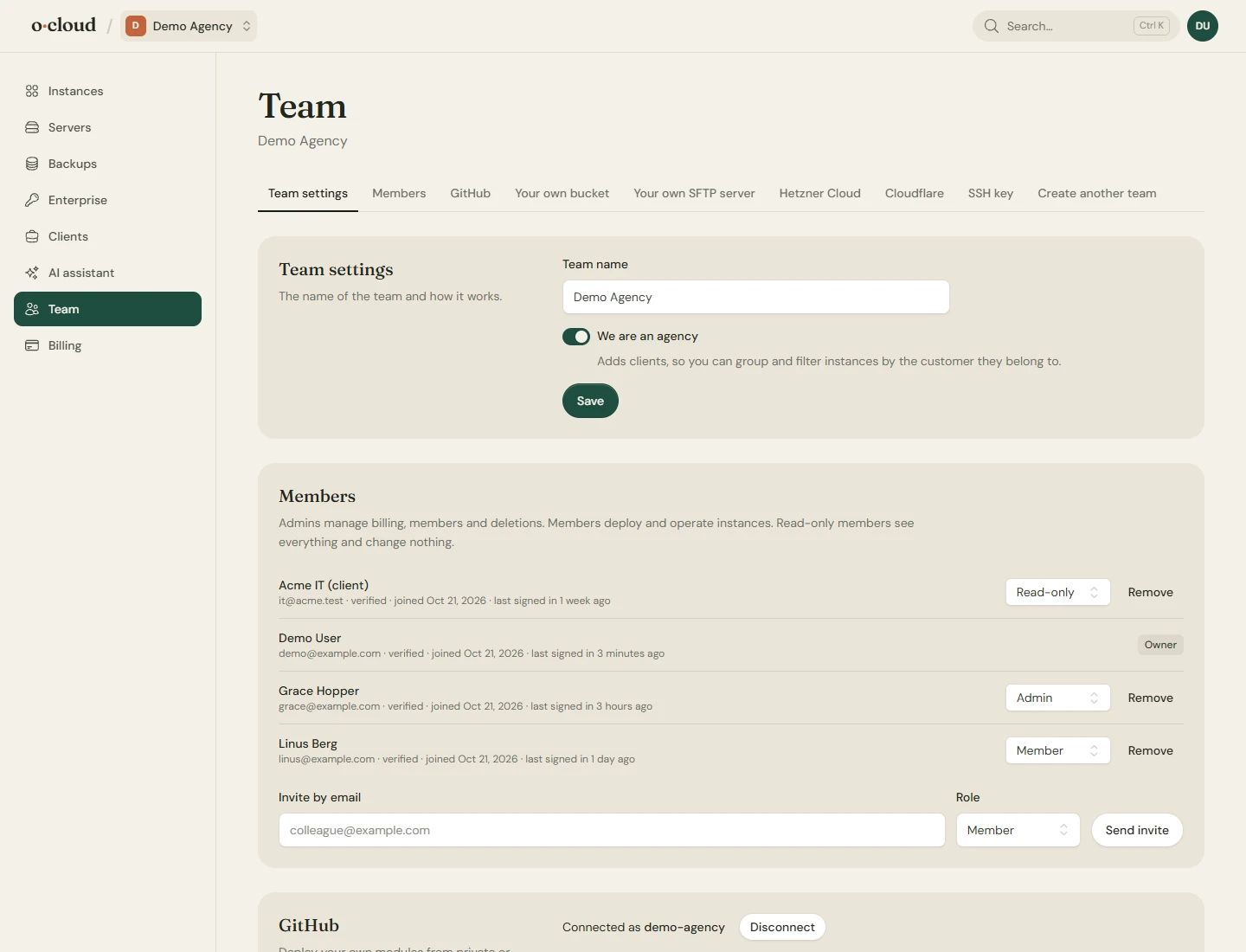
Roles, clients and the keys to everything
Owners, admins, members and read-only users, invited by email. Two-factor authentication with an authenticator app and recovery codes. Clients group the instances an agency runs for each customer.
The integrations of a team live here: GitHub, a Cloudflare account, the Enterprise source, backup storage and the API keys.
AI assistant and API
Let an assistant do the looking
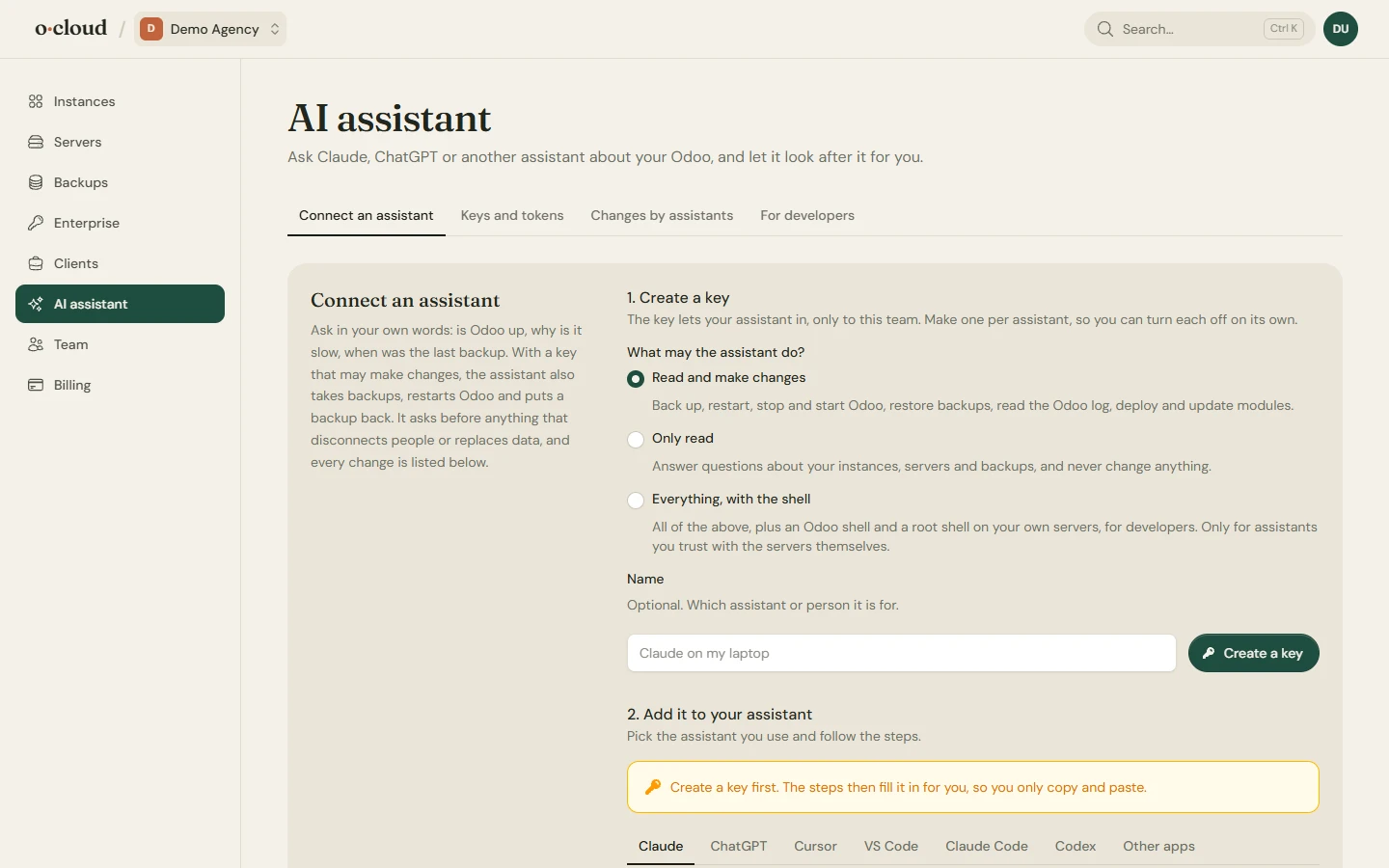
Connect Claude, ChatGPT, Cursor, VS Code, Claude Code or Codex from the AI assistant page, with a key that only reads, also makes changes, or also opens a shell. One server speaks plain language for business owners, another speaks developer. Every change an assistant makes is listed on the page.
The same keys drive a REST API for scripts and CI: list servers, instances and backups, start deploys, restarts and backups.