Billing
One subscription per server, metered backup storage, and the customer portal.
Billing is through Stripe. Each cloud server is a monthly subscription, and backup storage with us is metered. Prices are on the pricing page.
The billing page
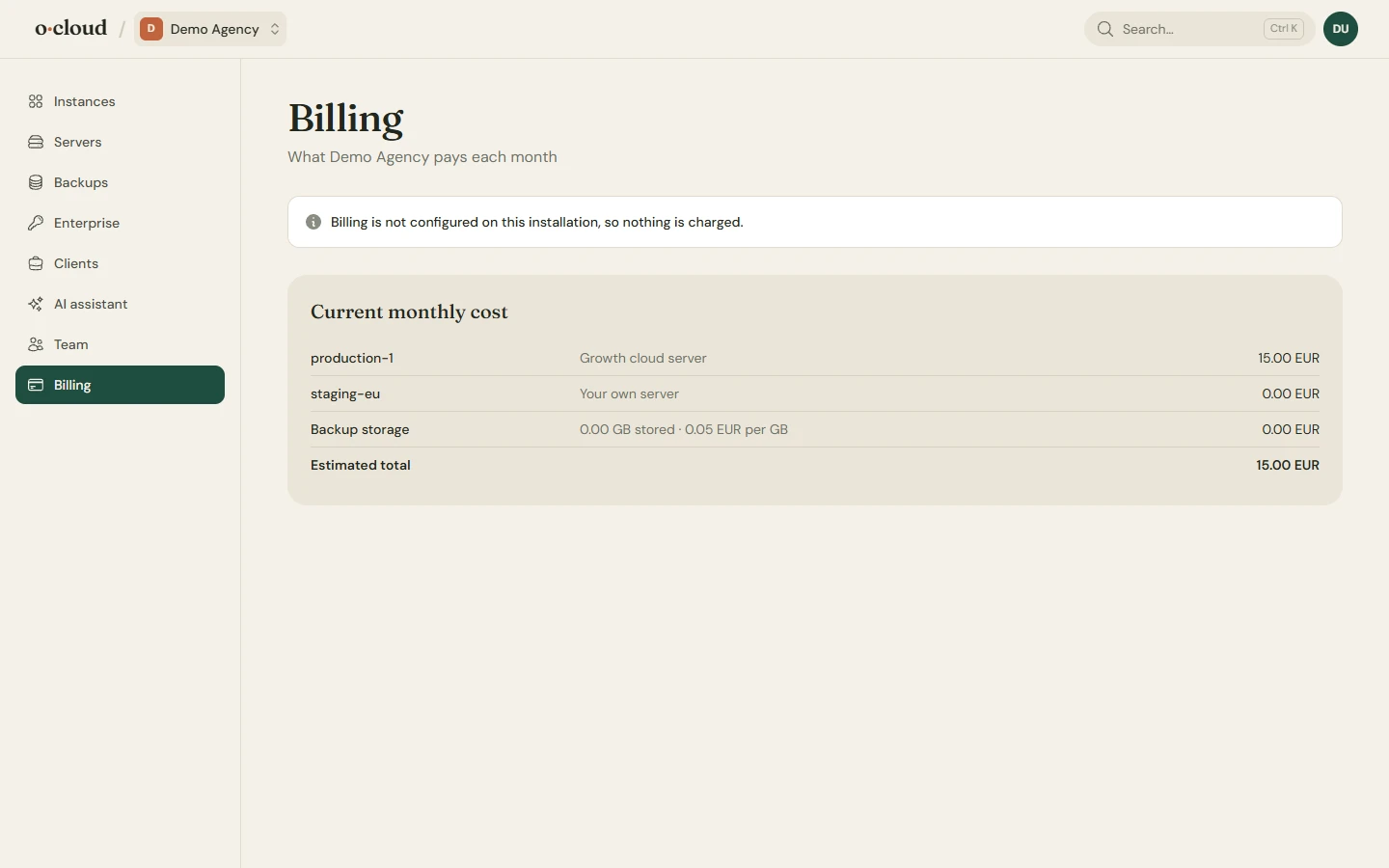
The subscriptions of the team and what each is for. Manage billing opens the Stripe customer portal, where payment methods, invoices and the billing address live. To stop paying for a server or instance, delete it in oCloud.
What is a subscription
- A cloud server: the subscription starts at checkout, before the server is created, and is cancelled when you delete the server.
- Your own server: a flat 5 EUR a month per server, started at checkout when you connect it and cancelled when you remove it.
- Backup storage with us: 0.05 EUR per GB stored per month. The GB kept are reported to Stripe once a day and billed on the invoice. Backups in your own bucket or SFTP server are not billed.
When a payment fails
Nothing is stopped or deleted. The server or instance keeps running while Stripe retries the card over the next days, and the team owner is mailed at each step; the server or instance page shows the same notice with a button to the portal. If the retries give up and the subscription ends, nothing is deleted either: update the card and contact us to keep it.
Who sees billing
Owners and admins. Members and read-only users see the page but cannot open the portal or start a checkout.
Invoices and VAT
Every order is paid in Stripe Checkout, also when a card is already on file. Stripe sells the subscription as merchant of record (the checkout says "Sold via Link"): it works out the VAT for your country, adds it to the price and pays it to the tax authorities. A business ticks that it buys as a company and enters its VAT number in the checkout.
Stripe mails the receipts and invoices on the first charge and every renewal. They are also in the customer portal, and on link.com together with the payment method.