For agencies
Run every customer's Odoo without running a hosting company
Clients, roles and a server that carries as many instances as it has room for. The customer sees their own Odoo and nothing else. You see all of them on one page.
Clients
Instances grouped by the customer they belong to
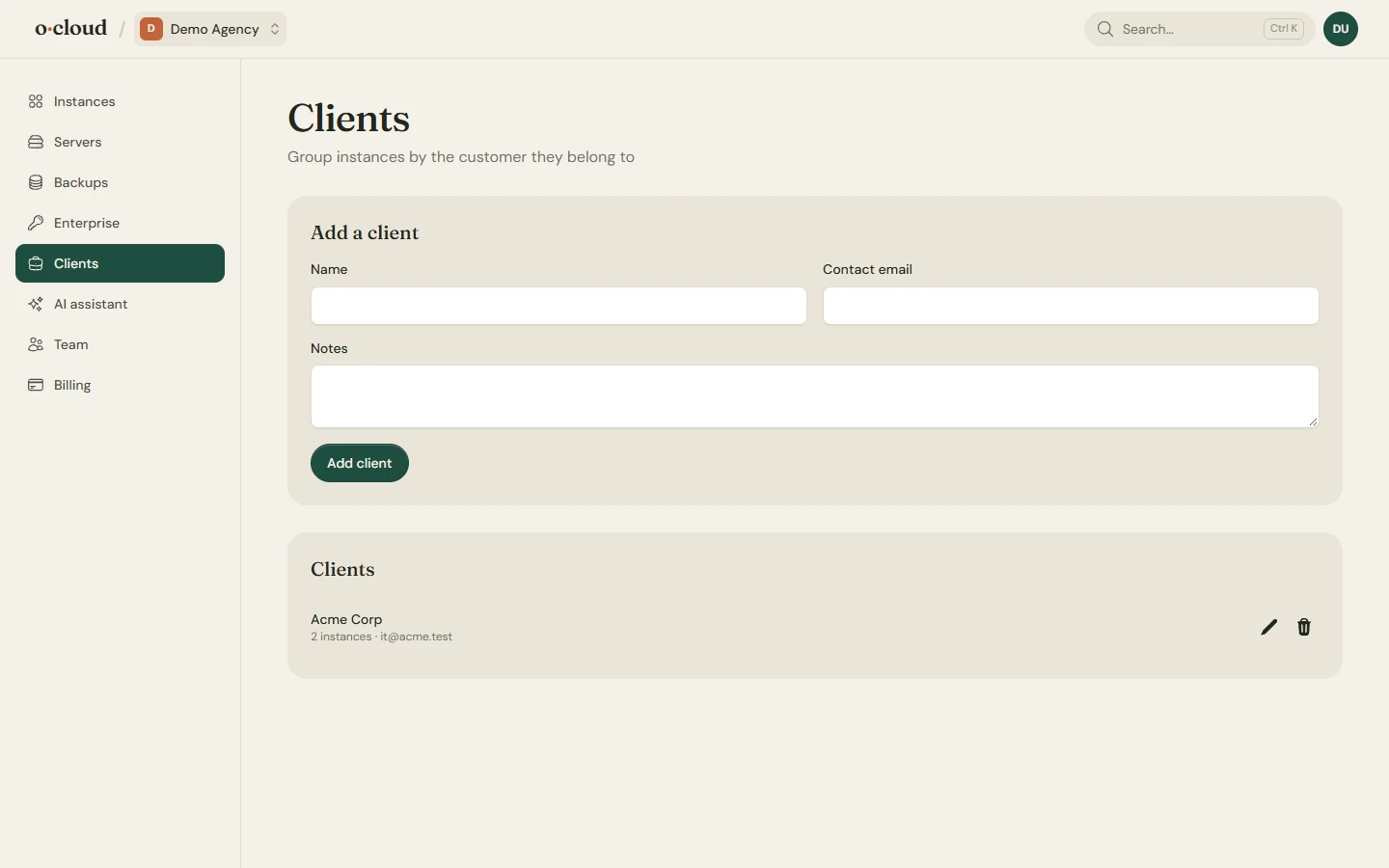
Turn on the agency features for your team and a Clients page appears. Each client has a name and a contact, and each instance belongs to one. The instances page filters by client, so a question from Acme is answered on a page that shows only Acme.
Roles
Let the customer in, but not all the way
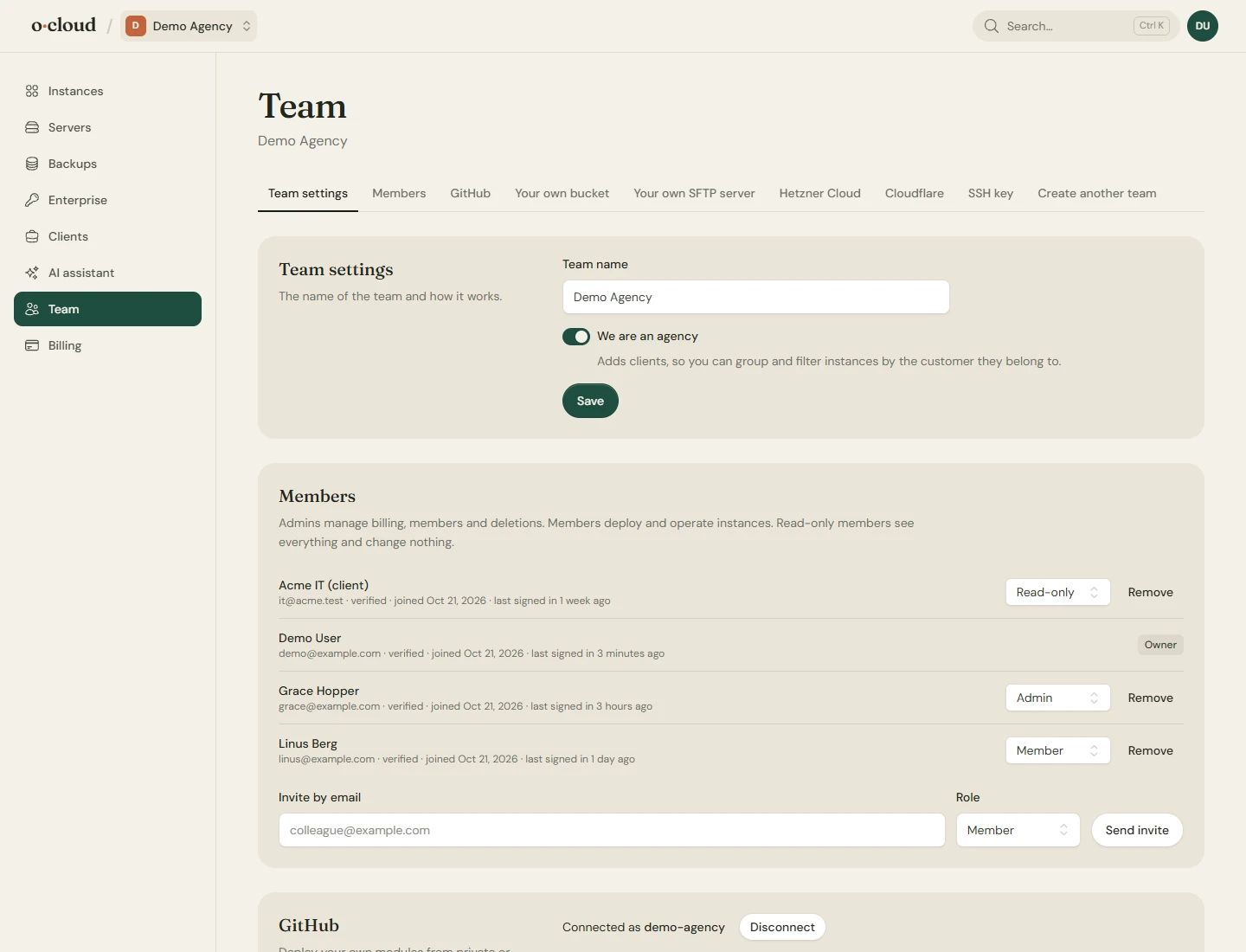
Owners and admins run the team. Members work on instances. Read-only users look. Invite a customer's IT contact by email as read-only and they see status, backups and logs without a button that could break anything.
Two-factor authentication with an authenticator app and recovery codes for everybody who wants it.
One server, many instances
A server from 11 EUR carries a whole roster
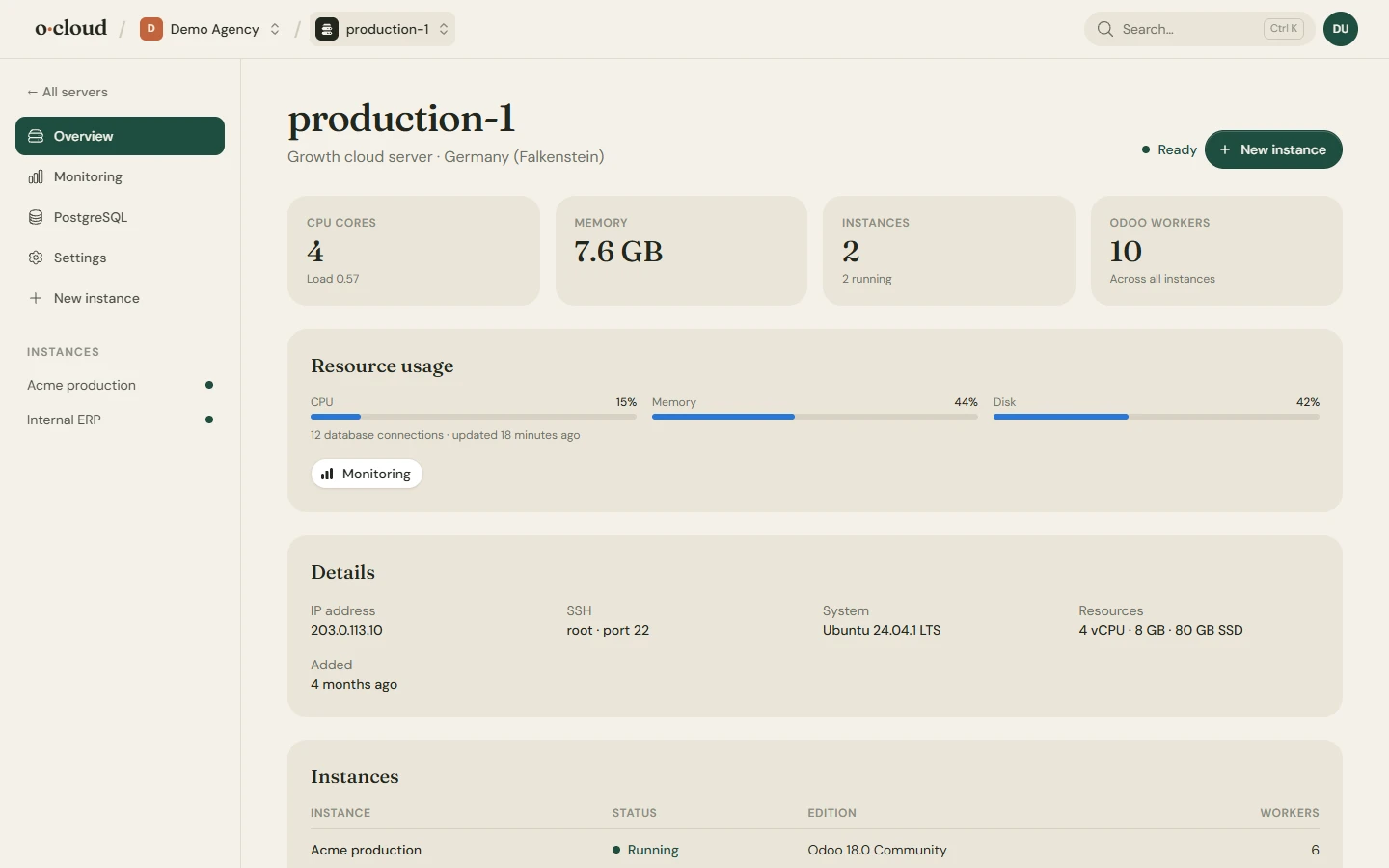
On a cloud server of your own, or one you bring, every instance gets its own database, system user, service and certificate. The server page shows what each one uses. PostgreSQL is tuned once for the whole server.
Small customers share a server; the big one gets their own. Both are the same pages.
Staging and Login as
Show it before you ship it
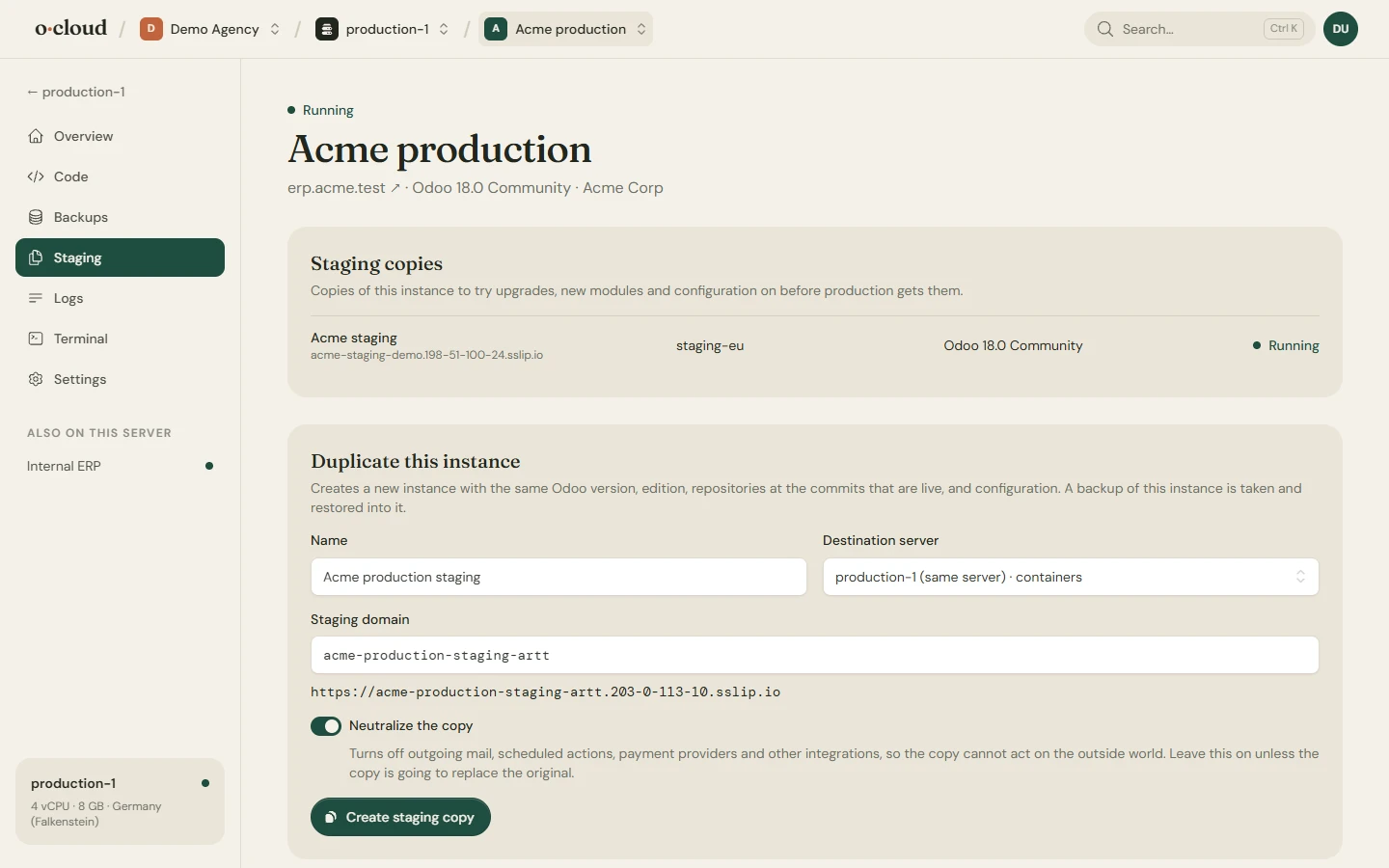
Duplicate a customer's instance to any server as a neutralized copy, on the commits that are live, and try the change there. Log in to any instance as any of its users without asking for the password when a customer reports something only they can see.
Code
Your modules, their repositories, deployed on push
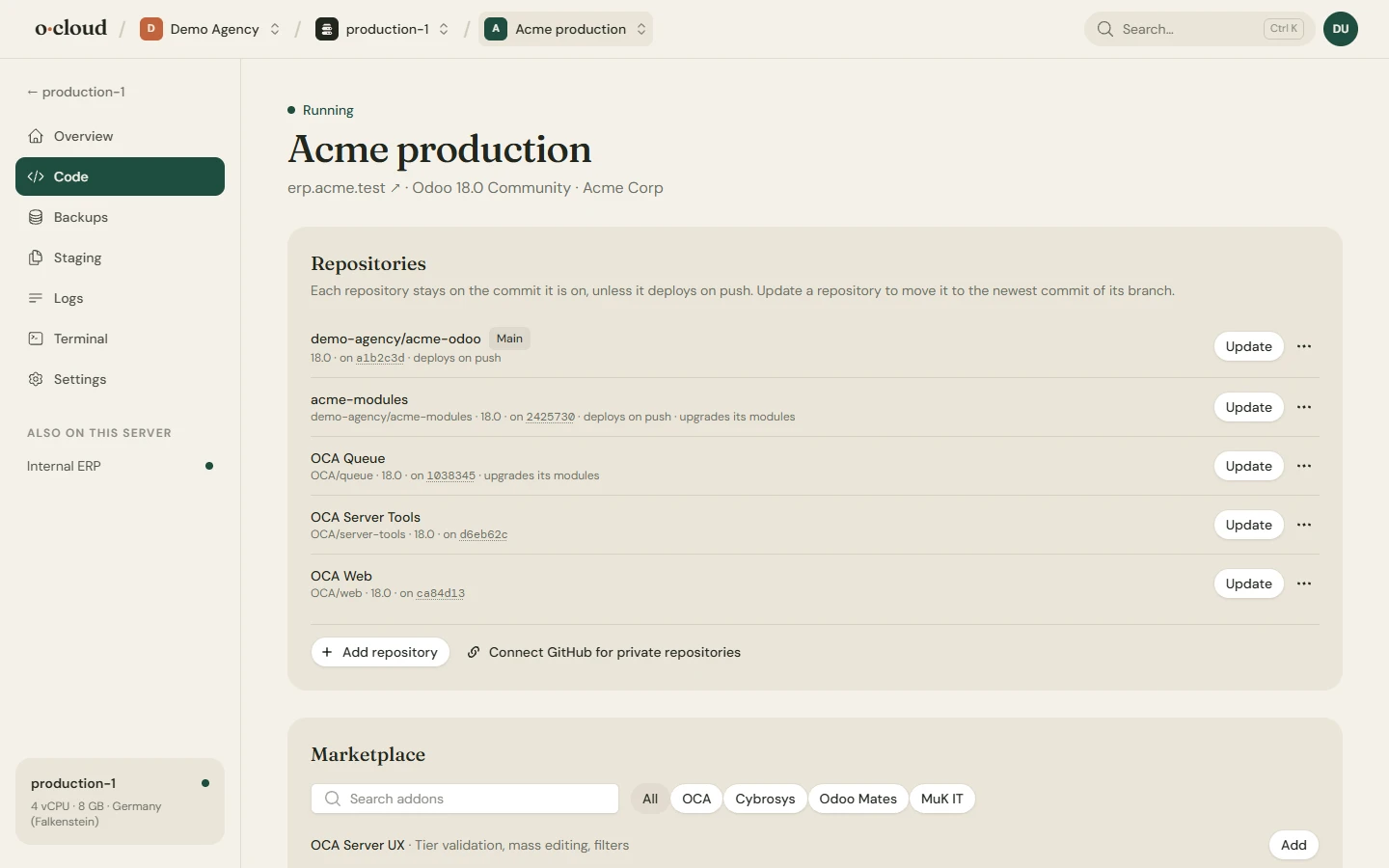
Each instance has its own repository and branch, plus the OCA and community repositories it needs. Deploy on push for the ones that should, by hand for the ones that should not. Upgrade installed modules after an update with a switch, per repository.
Every repository stays on the commit it runs until you update it, so a customer on last year's branch stays on last year's branch.
API and AI
Scripts, CI and assistants with their own keys
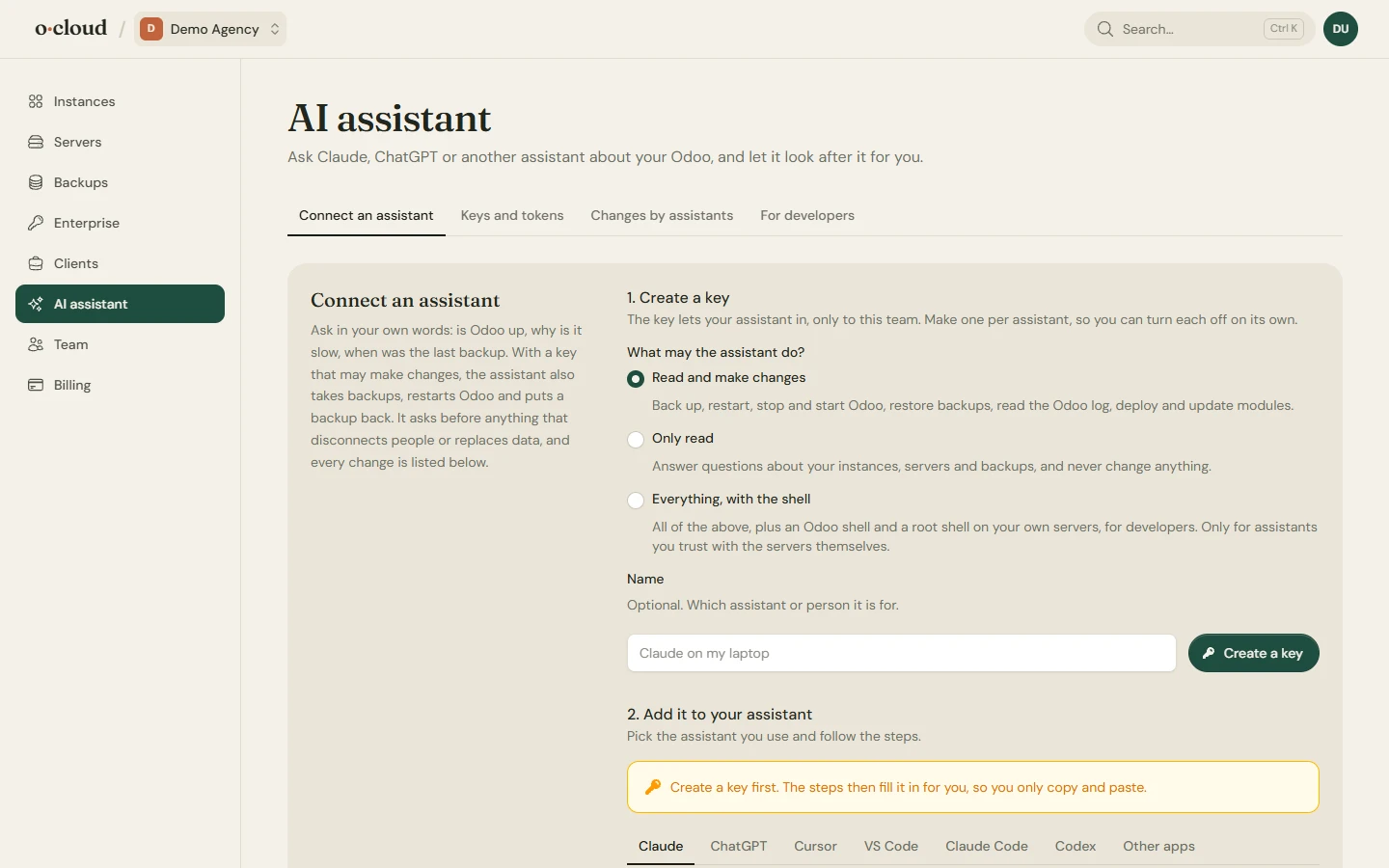
A REST API lists servers, instances and backups and starts deploys, restarts and backups, for CI and for the dashboards you build. The same keys connect Claude, ChatGPT, Cursor, VS Code, Claude Code or Codex, with read-only, read-and-change or shell access. Every change an assistant makes is listed with the key that made it.
Bringing customers over from another host
A customer's server that already runs Odoo is connected over SSH and managed as it is: no migration weekend, no downtime.
Bring your first customer
Create a team, switch on the agency features, add a client. The rest of the roster follows.