Deploying code
GitHub, deploy on push, addon repositories, the OCA marketplace and module upgrades.
Code reaches an instance from git repositories: one main repository of your own, and as many addon repositories as it needs. Each is cloned on the server on its branch, and the instance's addons path is written from them.
Connect GitHub
On the Team page, connect GitHub through OAuth or paste a personal access token. Private repositories of the connected account can then be picked by name, and pushes to them can deploy.
The code page
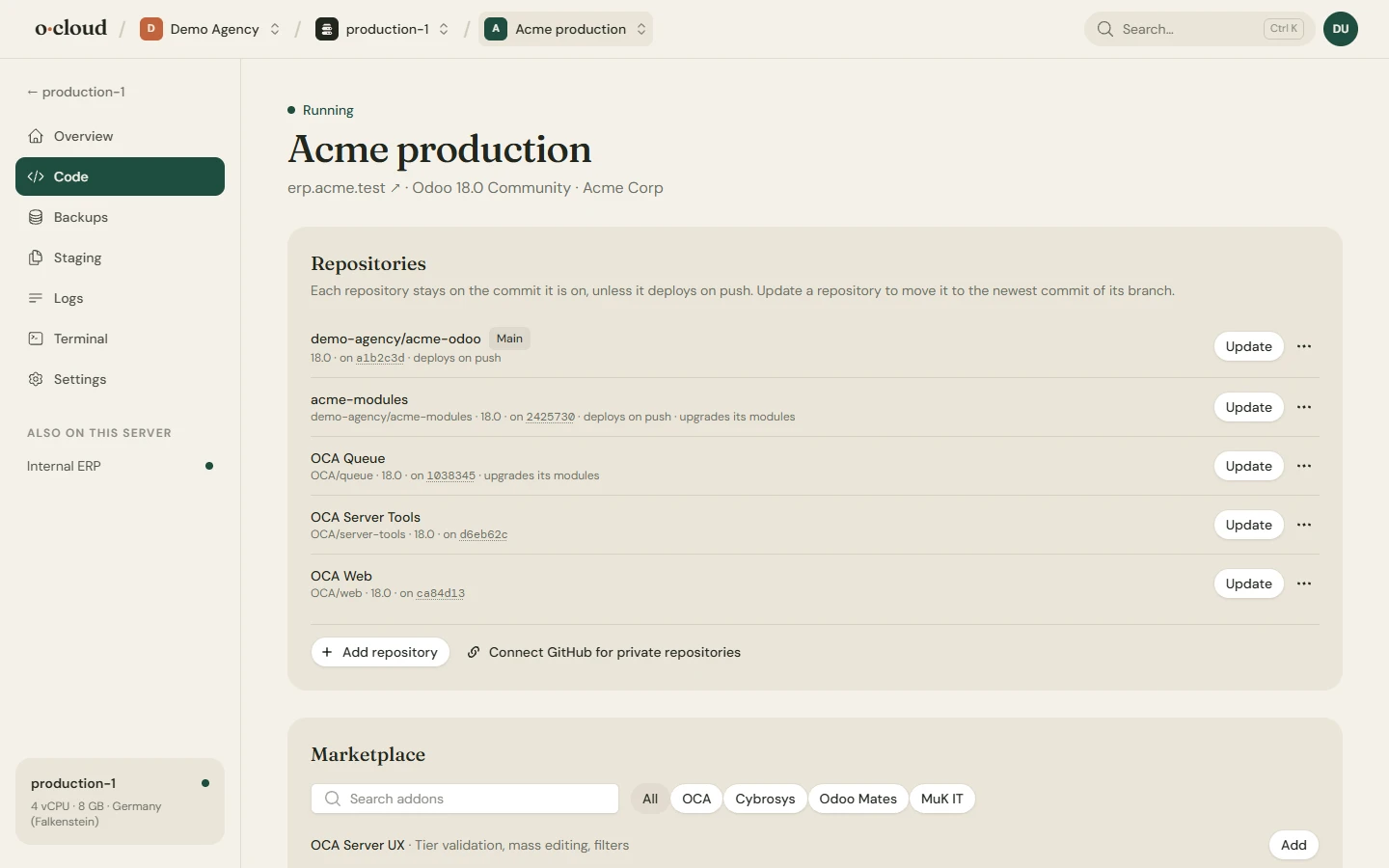
- The main repository and branch of the instance, the commit that runs, and how many commits behind it is.
- Addon repositories: each with its branch, its commit, and its own settings (the cog): change the branch, deploy on push, upgrade installed modules after an update.
- Update pulls the newest commit of one repository's branch and deploys. Update & upgrade also upgrades its installed modules in Odoo. The result, or the error Odoo died with, is shown on the repository and under Activity.
- A
requirements.txtin a repository is installed on deploy.
Deploy on push
With deploy on push switched on for a repository, every push to its branch deploys the instance. A webhook is registered on GitHub for you. Switch it off to deploy by hand, with the Update button, when you choose.
Nothing moves on its own
Every repository stays on the commit it is on until you update it or it deploys on push. A deploy for any other reason, a restart, a configuration change, redeploys exactly what runs. Odoo itself takes the newest build of its version on each deploy, unless it is pinned to a dated build.
The marketplace
54 repositories from OCA, Cybrosys, Odoo Mates and MuK IT, with search, a publisher filter and paging. Entries are repositories, not single modules: add one and every module in it is available to install in Odoo. Any other public git URL can be added by hand.
Upload a zip of modules
Modules that never had a repository can be uploaded as a zip into a new repository of the connected GitHub account, which is then added to the instance like any other.
On an adopted server
On a server that already ran Odoo when it was connected, the folders on the addons path are matched to the repositories they came from and listed under Repositories, connected or not. See Moving an existing Odoo.