Backups
Schedules and retention, where backups are stored, restore, download and import.
A backup holds every database of an instance and its filestore. It is made on the server and uploaded straight to the storage with a one-off link, so it never passes through oCloud. Nothing is backed up until you set a schedule or press the button.
Schedule and retention
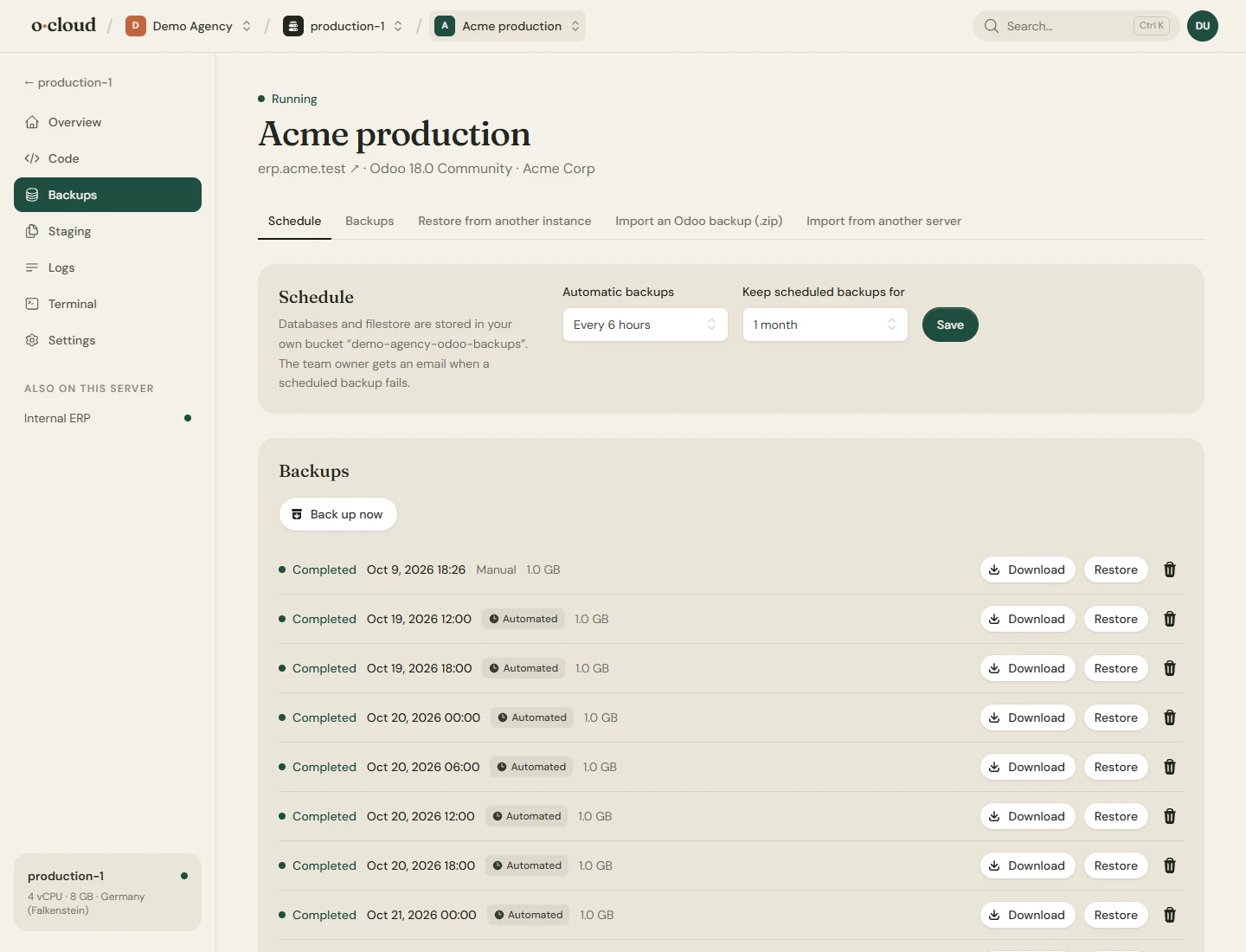
Hourly, every six hours, daily, weekly or monthly, kept from a day to forever. Scheduled backups older than the retention are deleted; manual backups are kept until you delete them. The team owner is mailed when a scheduled backup fails. The default retention is 14 days.
Where backups go
Set on the Team page, for the whole team:
- With us, in storage of ours, for 0.05 EUR per GB stored per month, metered daily on what is actually kept.
- Your own bucket: Amazon S3, Cloudflare R2, Backblaze B2, Wasabi, MinIO or Google Cloud Storage with HMAC keys. Servers upload with one-off links, so the keys never leave oCloud. Not billed.
- Your own SFTP server: a NAS, a storage box, another machine. Servers upload with a key that exists only for this. Not billed.
Restore, download, delete
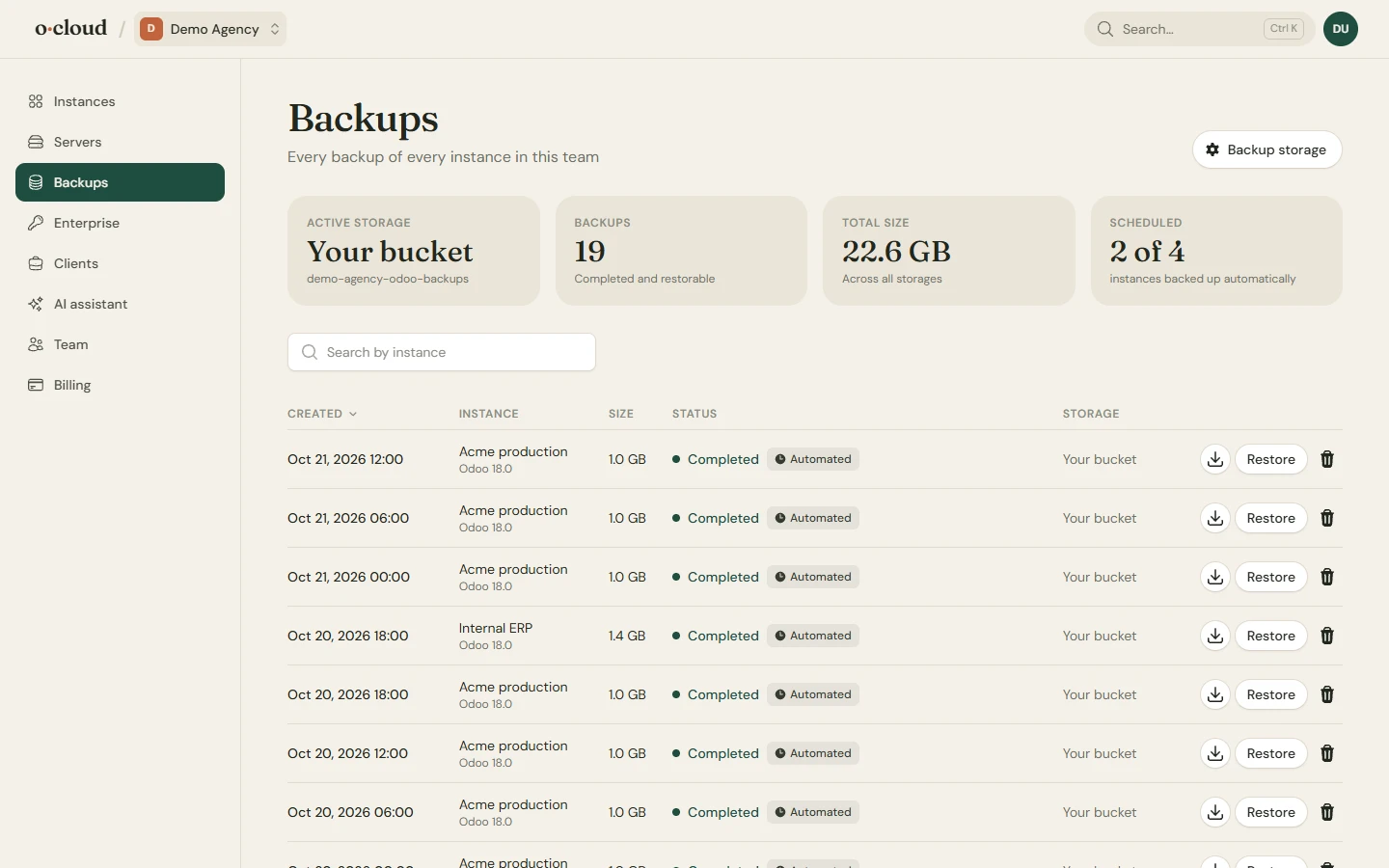
- Restore replaces the databases and filestore of the instance with the backup's. Odoo is stopped for it and started after. A restore can be neutralized, which switches off outgoing mail, scheduled actions and payment providers in the restored copy, for a test.
- Restore into another instance, on the same or another server, to move or copy an Odoo. Dumps can only be imported from the same or an older PostgreSQL version.
- Download the archive. Delete removes it from storage.
Import
- A zip from Odoo's database manager, uploaded on the instance's Backups page, is restored into the instance.
- Over SSH, the database and filestore of an Odoo running on any other server are copied into the instance. See Moving an existing Odoo.
Checking that backups work
Every backup shows its size and when it completed; a failed one shows the error. The surest check is a restore into a staging copy now and then: Staging does exactly that.